
PILOTLOG - CrewLounge AERO
AviovisionTravel & Local
3.932.00 Reviews
- Version
- 6.1
- Installs
- 10.00K
- Age Rating
- Everyone
Screenshots
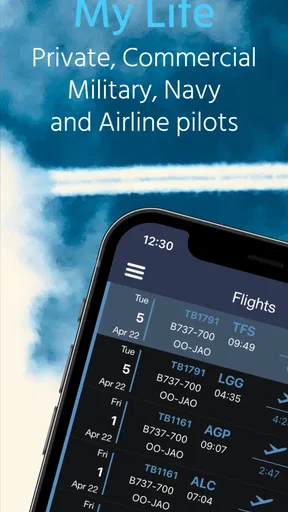
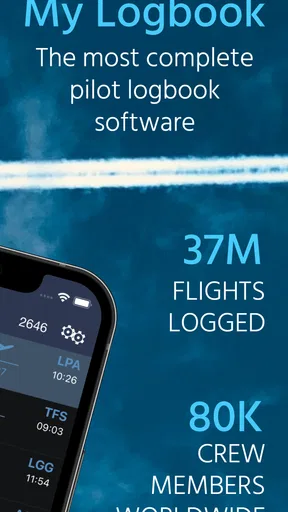
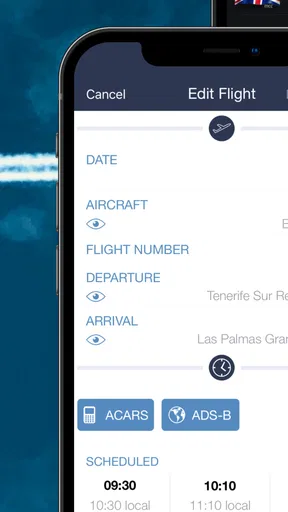
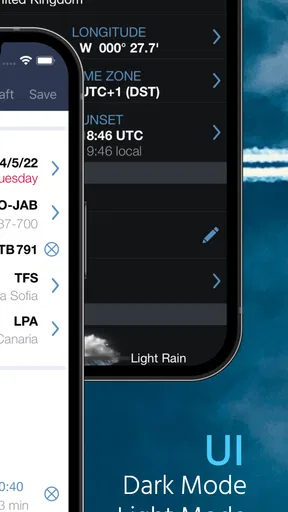
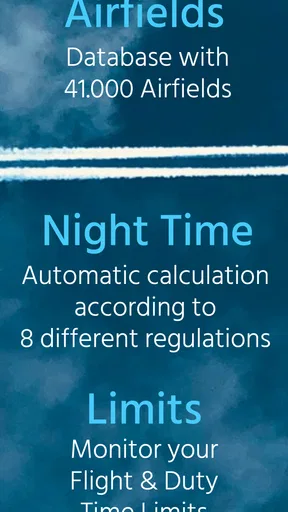
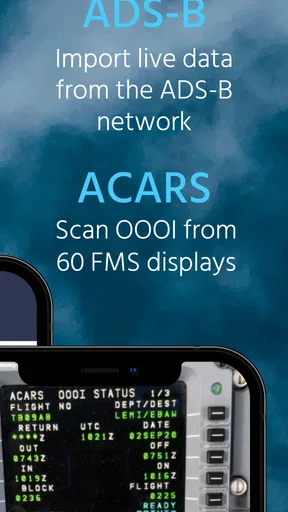
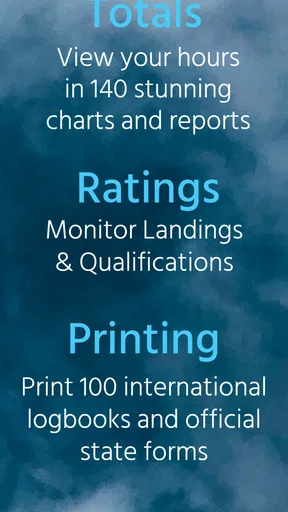
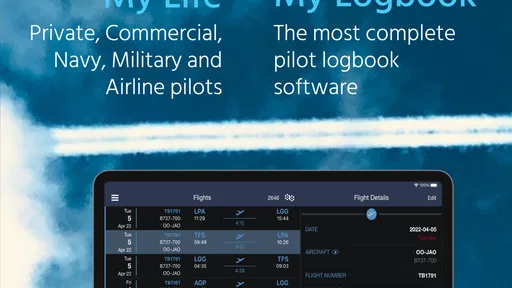
Our Review of PILOTLOG - CrewLounge AERO
 Analysis by Appyee
I found PILOTLOG - CrewLounge AERO most interesting as a working tool rather than a casual travel app. It is a pilot logbook from Aviovision, placed in the Travel & Local category, and its purpose is clear from the first use: help pilots keep flight activity organized in a digital format. I approached it as someone who wants less paperwork after a flight, but also needs records to remain understandable when tired, busy, or working in an unfamiliar environment.
The app is free to install, has an Everyone age rating, and runs on Android devices using version 5.0 or later. Its current version is 6.1. The wider user response is mixed but fairly positive, with a 3.9 average from over 600 ratings and more than 10 thousand installs. That combination suggests a specialized audience rather than a mass-market travel tool. I would not recommend it automatically to every traveler, but for pilots who want a dedicated electronic logbook, it deserves a careful look.
How the layout feels when readability matters
The first strength is focus. Unlike a general notes app or a spreadsheet, this is built around the language and routine of pilot logging. That matters because a blank spreadsheet makes you decide how to organize every flight, while a dedicated logbook gives the task a defined home. I found that focus reassuring: when I opened it after a flight, I was thinking about recording the flight rather than designing a filing system.
That said, a specialized interface can be less forgiving than a simple notes screen. Pilots already know the meaning of logbook fields, but a new user may need time to understand the flow and decide which information belongs where. The app is most comfortable when I approach it with a consistent routine instead of trying to learn everything during a rushed turnaround.
For readability, I would use the largest practical text and the clearest display settings available on the device. I would also avoid entering a long record while moving between tasks. A logbook is easier to trust when each entry is made slowly enough to check the aircraft, date, route, role, and time before saving. This is not just an accessibility preference; it is good record-keeping.
The most useful habit is to treat the app as a post-flight checklist for information, not as a place to reconstruct a flight from memory weeks later. I would make the entry soon after landing, while the details are still fresh, then review the totals periodically. That workflow reduces visual scanning and lowers the chance of overlooking a small but important field.
Navigation for different levels of experience
Experienced pilots will probably appreciate the directness of a dedicated logbook. Someone who has maintained paper records may also find the concept familiar, even if the digital steps take adjustment. The bigger learning curve is for a student or occasional pilot who is not yet comfortable with logbook terminology. In that situation, the app is better used alongside an instructor’s established recording method rather than treated as a completely self-explanatory guide.
I also think navigation comfort depends on the phone itself. A compact display can make any data-heavy tool feel crowded, while a larger screen gives more room to inspect entries. Users with reduced vision, reading difficulties, or attention limitations should test whether the fields and controls remain easy to distinguish on their own device before making the app their only record.
One practical approach is to create a repeatable sequence: open the current log, enter the flight details in the same order every time, pause for a visual check, and only then move on. Repetition turns navigation into muscle memory. It also helps users who find unpredictable screen movement or changing routines tiring.
Why a dedicated logbook can beat ordinary alternatives
The usual alternatives are a paper logbook, a spreadsheet, or a general note-taking app. Paper is easy to read in bright daylight and does not depend on battery life, but searching old flights and calculating accumulated time can become laborious. A spreadsheet offers flexibility, yet that flexibility shifts the burden of structure and error checking onto the pilot. A notes app is quick for informal reminders, but it is not naturally shaped around a pilot’s records.
This app’s advantage is that it starts from the logbook problem itself. I would choose it over a generic notes tool when I want one consistent place for flight history. I would choose paper alongside it when a flight operation requires a dependable offline backup or when the device is difficult to use in the cockpit environment. The trade-off is simple: the app offers organization, while paper offers immediate physical simplicity.
Using it when hands, senses, and surroundings are not ideal
A pilot’s ability to use a logbook is not the same on a quiet evening as it is after a demanding flight. Hands may be occupied with bags, documents, or equipment. Eyes may be tired. Noise, glare, poor connectivity, or a rushed schedule can turn a short digital task into an irritating one. I like the idea of recording electronically, but I would not pretend that a phone-based workflow removes those real-world barriers.
For users with limited fine-motor control, the main question is how much precision the interface demands during entry. I would avoid trying to complete a detailed record while standing, wearing gloves, or holding the phone awkwardly. A stable surface and deliberate taps make the experience more manageable. Voice input on the device might help some users draft information, but I would still verify every value visually because aviation records are not a good place to trust an unreviewed transcription.
Users with hearing loss are unlikely to need spoken interaction for the basic idea of a logbook, but any reliance on sounds or alerts would be less helpful than clear visual confirmation. Conversely, users with low vision may benefit from device-level text enlargement or display adjustments, provided the layout remains usable afterward. I would test those settings with a sample entry rather than assuming that a larger font automatically improves everything.
Color perception is another consideration. I would not rely on color alone to understand whether a record is complete or whether an item needs attention. If a screen uses color to separate states, users who have difficulty distinguishing colors should look for accompanying text or other visual cues. When the meaning is not obvious, a slower review is safer than guessing.
A realistic after-landing routine
Imagine finishing a short flight, arriving tired, and needing to record it before the details blur together. My preferred routine would be to sit somewhere stable, open the app, and enter the core information while the aircraft and route are still easy to recall. I would keep the phone at a comfortable viewing angle, increase brightness only as much as needed, and avoid entering data while walking through a terminal or handling other equipment.
After saving, I would read the entry back from beginning to end. That second pass is particularly useful for anyone who experiences fatigue, dyslexia, reduced concentration, or difficulty switching between several tasks. It also catches ordinary mistakes such as a misplaced digit or an incomplete field. The app can make the record digital, but it cannot replace the pilot’s final responsibility for checking it.
For a pilot who has difficulty with rapid tapping, the best strategy is to separate collection from entry. Write a short temporary note on paper or use a familiar device method immediately after the flight, then transfer the information into the logbook in a calmer setting. This adds one step, but it can be more reliable than forcing a complete entry under pressure.
Situational access during travel and flight operations
Because this is a Travel & Local app, the context matters. Pilots may use it across airports, hotels, classrooms, and home offices, each with different lighting, noise, network conditions, and available time. A tool that feels comfortable at a desk may feel less practical in a crowded terminal. I would plan the logging moment rather than assume the most convenient place will always be suitable.
The free installation makes it easy to try without committing money at the start. However, in-app purchases priced between seventy-five and eighty-five dollars per item make it important to understand what level of use requires payment before building a long-term workflow around it. I would begin with a small set of records, examine how well the process fits my needs, and only then consider any paid option. That is especially sensible for students, occasional pilots, and anyone managing a limited budget.
The app is more compelling for people who value a purpose-built electronic record and are willing to maintain a regular digital routine. It is less compelling for a pilot who only logs very occasionally, prefers handwriting, or needs a tool that remains equally convenient without a phone. In those cases, a paper logbook or a carefully designed spreadsheet may be more comfortable, even if it requires more manual organization.
Another situational issue is shared responsibility. If several people use the same device, I would take care to confirm whose record is open before entering anything. A dedicated logbook can improve organization, but only when the user pauses to verify the active context. This is a small behavioral detail that generic reviews often skip, yet it can prevent confusing one pilot’s information with another’s.
Where the experience still creates barriers
The biggest limitation is that digital convenience depends on the surrounding device and the user’s habits. A person with an older Android phone can run the app because the minimum operating system is 5.0, but that does not guarantee the same comfort as a newer, larger device. Screen size, touch sensitivity, battery condition, and display quality all influence how accessible the actual workflow feels.
I also would not describe the app as automatically inclusive simply because it is digital. A digital form can be easier to search and update, but it can also be demanding for users who struggle with small controls, dense information, or repeated tapping. The right question is not whether the app is electronic; it is whether the pilot can complete and verify an entry accurately in the conditions where it will really be used.
There is also a psychological barrier for people moving from paper. Handwritten records provide a familiar physical overview, while a digital logbook asks the user to trust screens, saved entries, and a device routine. I would expect a transition period. Keeping the paper method available while learning the app can reduce anxiety, although maintaining two records also creates a risk of mismatched updates. A pilot should choose one primary source and be disciplined about reconciliation.
The rating of 3.9 shows that the experience is not universally effortless. I would read that as a reason to test the workflow personally rather than as a reason to dismiss it. Specialized tools often divide opinion because their value depends heavily on a user’s exact routine. The app may feel highly appropriate to a pilot who wants structure and unnecessarily involved to someone seeking a quick note.
Who should use it, and who should skip it?
I would recommend trying it if you are a student pilot building a consistent logging habit, a working pilot who wants a dedicated electronic record, or someone replacing scattered notes with a more focused system. It is also worth considering if you regularly review past flights and want your information kept in one aviation-specific environment rather than spread across notebooks and general apps.
I would be more cautious if you need a logbook that is effortless with one hand, highly comfortable in bright outdoor conditions, or usable without depending on a phone-centered routine. I would also hesitate if you are unwilling to review entries after saving. No digital logbook is a good fit for someone who wants to tap quickly and never check the result.
A student should ask an instructor whether the app fits the record-keeping expectations of their training environment. A professional pilot should decide how it fits with existing personal and operational procedures. Someone with accessibility needs should test a complete entry, not just browse the opening screen. That trial reveals much more than a store summary: whether the text is comfortable, whether the controls are manageable, and whether the review process feels realistic after a tiring flight.
My inclusive verdict after weighing convenience against control
My overall view is positive but practical. PILOTLOG - CrewLounge AERO gives pilots a focused alternative to paper, spreadsheets, and generic notes, and the dedicated approach is its clearest strength. I like it most for a person who wants a repeatable post-flight routine and is prepared to check each record carefully.
Its accessibility is best understood as situational rather than guaranteed. Device settings, screen size, lighting, fatigue, motor control, and the user’s familiarity with pilot records all shape the experience. The app can support a more organized workflow, but it does not remove the need for backups, careful review, or a suitable environment for entry.
Aviovision’s app is therefore not my universal recommendation for every pilot. It is a sensible candidate for people ready to move from informal or paper-based tracking into a dedicated electronic logbook, especially when searchability and consistency matter. I would install the free version, complete several realistic entries in the conditions where I normally travel or fly, and judge the fit before considering the in-app purchases. If the text remains readable, the navigation feels predictable, and the final review is comfortable, it can become a useful part of a pilot’s routine. If those basics are difficult on your device, paper or a simpler alternative may serve you better.
Verdict
Strengths of PILOTLOG - CrewLounge AERO
- Detailed flight logging with aircraft, route, duty, and crew information.
- Useful offline access for updating records during flights or poor connectivity.
- Supports multiple airline and fleet configurations for professional crews.
- Quick import and synchronization options reduce repetitive manual data entry.
- Helpful statistics and reports for monitoring flight time and career records.
Limitations of PILOTLOG - CrewLounge AERO
- Many advanced features require a paid subscription or in-app purchase.
- The interface can feel dense and takes time to learn for new users.
- Some airline-specific setup may require careful manual configuration.
- Synchronization may be confusing when using multiple devices or accounts.
- Battery and background usage can increase during location-based flight tracking.
Similar Picks in This Category
View All
Google Maps
Google LLC3.4

Google Maps Go
Google LLC4.1

Booking.com: Hotels & Travel
Booking.com Hotels & Vacation Rentals4.8

Google Earth
Google LLC3.8

Skyscanner Flights Hotels Cars
Skyscanner Ltd4.8

trivago: Compare hotel prices
trivago N.V.4.4
Frequently Asked Questions
What is PILOTLOG - CrewLounge AERO used for?
PILOTLOG - CrewLounge AERO is a digital flight-logbook application designed for pilots and aviation professionals. It helps you record flight details, track hours and landings, organize aircraft and crew information, and review your flying history. It can be useful for personal record keeping, license or currency monitoring, and maintaining a more structured alternative to a traditional paper logbook.
Can I use PILOTLOG - CrewLounge AERO without an internet connection?
The app is intended to support pilots who may need to enter or consult information while traveling, at airports, or during flight operations where connectivity is unreliable. Many logbook tasks can generally be prepared offline and synchronized later, although certain services, updates, account functions, or connected features may require internet access. It is advisable to synchronize your records before a trip and verify the app’s current offline limitations.
Does PILOTLOG - CrewLounge AERO synchronize data across devices?
PILOTLOG - CrewLounge AERO is built around keeping a pilot’s records organized and available across supported devices and platforms. Synchronization can be helpful when moving between a phone, tablet, or web-based companion service, but it normally depends on signing in with the same account and having an active connection. Before changing devices, check that your latest entries have uploaded successfully and keep an independent backup of important flight records.
Is PILOTLOG - CrewLounge AERO suitable for professional pilots and regulatory records?
The application is suitable for pilots who want a detailed electronic record of their flights, including professionals who need to monitor totals, aircraft experience, routes, and currency. However, acceptance of electronic logbooks and specific reporting formats can vary between aviation authorities, airlines, training organizations, and employers. You should confirm the applicable regulations and retain any required supporting documentation rather than relying on the app as your only official record.
Is PILOTLOG - CrewLounge AERO free to download, and are there paid features?
The availability of free and paid functionality may depend on the platform, subscription plan, account type, and the features offered at the time you install the app. Basic access may allow you to explore the logbook, while advanced tools, synchronization options, reports, or professional features can require a purchase or subscription. Review the current App Store or Google Play listing and the in-app pricing before importing a large amount of flight data.
